Archive for November, 2009
Compiling SqueezePlay on linux (Ubuntu AMD64)
by admin on Nov.22, 2009, under Linux
Logitech Squeezeboxes are great little network audio streamers — I have a squeezebox Duet, which is much cooler (IMO) than an Apple TV + iPod.
Squeezeplay is the Squeezebox controller / squeezebox touch user interface, and it can run on any computer. You can use that computer as a controller for your squeezebox receiver, or as a complete squeezebox, playing music. If you can get it running on a portable device, you effectively get a new Squeezebox Controller for free.
Unfortunately, even though the Squeezeboxes are based on a GNU/Linux foundation, Linux users don’t get much love when it comes to releases of SqueezePlay… so we have to compile it ourselves.
Here is how to get SqueezePlay working on Ubuntu karmic amd64, but the instructions should apply to other distros. I’ve also tested it on Karmic 32 bit.
Fixing the (too low) position of notifications in Ubuntu Karmic
by admin on Nov.12, 2009, under Linux
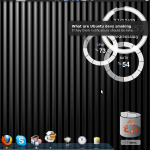
One of the first things I noticed on upgrading to Karmic was that notifications were lower than they were in Jaunty.
Like most people, at first, I thought this was a bug. The short answer is — it isn’t. The devs, in their infinite wisdom, think its better this way — the “top slot” for notifications is reserved for synchronous notifications, such as brightness and volume.
Upgrading from Ubuntu Jaunty (9.04) to Karmic (9.10) on the eeePC 1005HA (and 1008HA)
by admin on Nov.11, 2009, under Linux
If you followed my guide on getting Ubuntu 9.04 to run nicely on the eeePC 1005HA, and have or are considering upgrading to Karmic, these few notes will help you.
Querying subfolders in SharePoint lists using SPAPI and GetListItems()
by admin on Nov.11, 2009, under Programming, SharePoint
This took a while to figure out. I’ve been trying to query the SharePoint lists service using getListItems().
Getting something from inside one folder is easy — you just set the queryOptions parameter to be <QueryOptions><Folder>folderName</Folder></QueryOptions>.
This works and returns items fron within that folder. But what about subfolders?
Restoring karmic’s GDM (login screen) to black after trying “high contrast” option.
by admin on Nov.08, 2009, under Linux
Ubuntu 9.10’s new login screen looks great — brown, black and white. Much improved over the previous version.
However, if you try out the Accessibility options, in particular, the “improve contrast” option, it goes ugly, with a nasty grey bar.
The problem is that, even after you deselect the option, the theme does not revert back, even after restarting again. The problem is that some needed theme files are deleted.
The solution is simple — you need to re-install gdm. Either fire up Synaptic, search for gdm, and then mark it for re-installation, or do sudo aptitude reinstall gdm in a terminal.
There you go — sexy login screen back again.