Deprecated: Function set_magic_quotes_runtime() is deprecated in /home/jfwells/jfwhome/wp-settings.php on line 18
JfwHome » Jaunty

Archive

Posts Tagged ‘Jaunty’

Perfect Ubuntu Jaunty on the Asus eeePC 1005HA (and 1008HA)

August 6th, 2009 admin 159 comments

The 1005HA is one of the brand new Asus eeePC netbooks, and it is a great little machine — aside from the fact that it comes with Windows XP or a dumbed-down customised Xandros (allegedly — as time goes on, Asus seem to be selling out to Microsoft).

As the 1005HA is pretty new, it has a few odd hardware quirks that won’t be fully supported out of the box until the next release of Ubuntu.

Here I run through what I did to end up with a 100% working install — including all Fn hotkeys. The good news is that it is very easy!
My perfect Ubuntu setup on the 1005HA
My perfect Ubuntu setup on the 1005HA

Read more…

Categories: Hardware, Linux Tags: , , , , ,

Ubuntu: Getting rid of icons for mounted network shares

August 4th, 2009 admin 2 comments

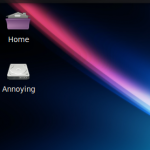
I have several network NFS shares that I mount in Ubuntu using /etc/fstab. While this works fine, recent versions (I think it has been annoying me since Edgy) of Ubuntu have an annoying habit of creating a desktop icon for each share.

Annoying!

Annoying!

A desktop icon is fine for an SD card, or a USB stick, but it’s not ideal when you have a ton of network shares.

It is easy to turn off all desktop icons for mounts using gconf-editor. But I still want some of them (such as the aforementioned USB sticks) to show — just not the NFS mounts.

As it turns out, the solution is actually obvious: semi-permanent items should be mounted in the right place, under /mnt. If you mount elsewhere, e.g. under /home, you get the annoying icon. Under /mnt? No icon.

Although this turned out to be quite obvious, it is new to me — for well over a year now I’ve just had all desktop mount icons turned off waiting for the solution.

Categories: Linux Tags: , , ,